 blog
blog
Alternatives to Generic Fitness Apps for Strength
Table of Contents
- Why Generic Fitness Apps Fall Short for Strength Training
- The Limitations of Automated Workout Trackers
- What Personalized Strength Training Programs Offer That Apps Cannot
- How to Track Strength Progress Without an App
- Free vs. Paid: What You Actually Get for Your Money
- Data Portability, Offline Access, and Privacy: What Apps Do Not Tell You
- How to Choose the Right Coaching Alternative for Your Goals
- Conclusion
- Frequently Asked Questions
Last Updated: September 23, 2026
Why Generic Fitness Apps Fall Short for Strength Training
Generic fitness apps are built for the widest possible audience, which means they rarely serve serious lifters well. At Doug Briggs Strength, we have watched too many athletes chase strength gains with tools designed for step counts and calorie burn. That mismatch shows up in stalled lifts, vague programming, and the frustration of doing everything "right" in an app while nothing changes on the bar.
The Limitations of Automated Workout Trackers
Automated workout trackers are excellent at counting and terrible at coaching. They can tell you that you benched 185 pounds for five reps last Tuesday. They cannot tell you whether that set was too easy, whether your bar speed dropped, or whether you should add weight next week.
Here is where the limitations show up most:
- No context for why a set felt hard (sleep, stress, previous session)
- No adjustment when you miss reps or feel beat up
- No periodization, just a repeating template
- No eyes on your form when a shoulder starts to ache
What Personalized Strength Training Programs Offer That Apps Cannot
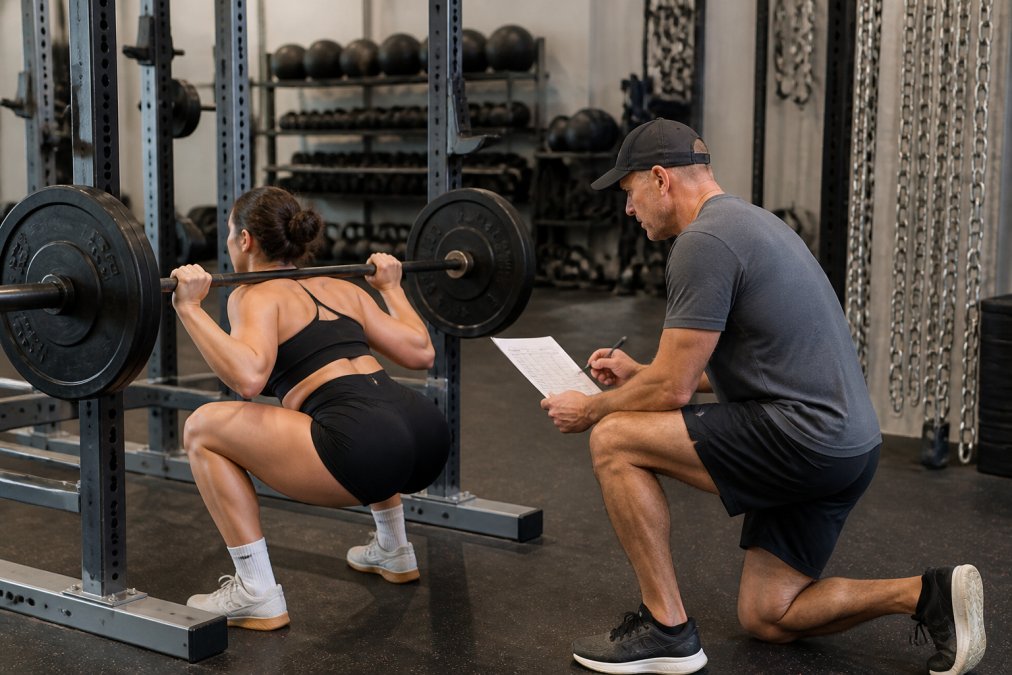
Personalized strength training programs offer something no automated tracker can: a coach who adjusts the plan based on what actually happened in your last session. That means real periodization, real feedback, and real accountability.
How to Track Strength Progress Without an App
You can track strength progress without an app using a simple paper log, a spreadsheet, or a training journal. What matters is consistency, not the tool.
Here is a straightforward method:
- Record the exercise, weight, sets, and reps for every working set
- Note how the session felt on a simple 1-5 scale
- Track your estimated one-rep max every few weeks
- Log body weight and sleep so you can spot patterns
- Review the log every four to six weeks with a coach or training partner
Free vs. Paid: What You Actually Get for Your Money
Free fitness apps give you tracking and templates. Paid versions add analytics, exercise libraries, and sometimes wearable integration. Neither tier gives you a coach who knows your training history. That is the short version. Here is the longer one, because the pricing tiers are where most lifters get surprised.
What the free tier actually includes
Most free tiers are built to get you logging, not to get you stronger. Typical inclusions:
- Basic set and rep logging
- A small library of template workouts
- Limited history (often capped at a few weeks or months)
- Ads, or upsells to the paid tier
What the paid tier unlocks
Pricing for paid tiers varies. What you get for that:
- Full training history and analytics
- Larger exercise libraries, sometimes with video demonstrations
- Wearable integration (Apple Watch, Garmin, Whoop, and similar)
- Advanced metrics like estimated one-rep max, volume load, and training stress
- Sometimes: program builders or auto-regulated progression
The comparison that matters
| Option | What You Get | What You Do Not Get |
|---|---|---|
| Free app | Logging, basic templates, limited history | Individualized programming, periodization |
| Paid app | Full history, analytics, exercise library, wearable sync | Form feedback, plan adjustment, accountability |
| Online course | Structured program, principles you can apply | Ongoing accountability, real-time adjustment |
| Personalized coaching | Custom plan, feedback, adjustments, accountability | Nothing replaces the human eye |
The gap between the middle two rows and the last one is the whole point. A course teaches you the principles. A coach applies them to you, session by session, based on what actually happened on the bar.
The hidden cost of the paid tier
The subscription is not the only cost. Consider:
- Time cost: Learning a new app's interface, tagging exercises correctly, and building templates takes hours you could spend training.
- Switching cost: If you cancel and the app will not export your history, you lose your baseline. See the data portability section above.
- Opportunity cost: Every month you spend tweaking an app's settings is a month you are not getting coached on your lifts.
A paid app can represent a significant annual cost. That is real money. The question is not whether it is cheap, it is whether it moves your total on the bar. For most lifters stuck on a plateau, the answer is no, because the app is still guessing at your next block.
Data Portability, Offline Access, and Privacy: What Apps Do Not Tell You
Data portability, offline access, and privacy are the three things most app reviews never mention. They are also the three things that decide whether you can leave an app without losing years of training history. This is the section the big "best fitness apps" listicles skip, and it is the one that matters most if you are switching.
Data portability: can you actually get your history out?
Every serious lifter accumulates a training history. Two years of logged squats, bench sessions, and deadlift attempts is not just data, it is the raw material a coach needs to program your next block. If you cannot export it, you do not own it.
- Is there a native export? Look for a CSV or JSON export option in settings. CSV opens in any spreadsheet; JSON is harder to read but preserves structure.
- Does the export include set-level detail? Some apps export only workout dates and totals. You need exercise name, weight, reps, sets, and ideally RPE or notes.
- Is the export complete or truncated? A common pattern is a free-tier export that caps at the last 30 or 90 days. Read the fine print.
- How long does it take? Some apps email a download link within minutes. Others take days or require a support ticket.
A practical workflow if you are migrating:
- Export your full history from the old app on day one, before you cancel anything.
- Open the CSV and confirm the columns map to exercise, weight, reps, sets, and date.
- Clean obvious duplicates and unit mismatches (pounds vs. kilograms) in a spreadsheet.
- Import into the new tool, or hand the cleaned file to your coach as your starting baseline.
- Keep the original export archived. Do not rely on the old app staying online.
Offline access: gyms have bad signal
Basements, concrete-walled weight rooms, and rural gyms are common dead zones. If your app requires a live connection to log a set, you will spend more time staring at a spinner than lifting.
What to look for:
- Offline-first logging: The app writes to local storage first and syncs later. This is the gold standard.
- Offline template access: Can you view today's prescribed workout without a connection, or does the plan only load from the server?
- Sync conflict handling: If you log offline on your phone and also on a tablet, does the app merge cleanly or overwrite?
- Battery and storage footprint: Offline caching of video libraries can eat gigabytes. Check before you download a full exercise library.
Privacy and data ownership: read the terms
Fitness data is sensitive. Training logs, body weight, injury notes, and heart-rate history can reveal a lot about you. The Federal Trade Commission guidance on health app data confirms that health apps are subject to real privacy obligations, and the FTC has brought enforcement actions against apps that shared sensitive health data with advertisers without clear disclosure.
Questions worth asking before you sign up:
- Does the app sell or share your data with third parties? Look for language about "anonymized" or "aggregated" data, those terms are often broader than they sound.
- Can you delete your account and have your data actually deleted, or is it retained indefinitely?
- Does the app require broad permissions (contacts, location, microphone) that have nothing to do with logging a set?
- Is there a clear privacy policy written in plain language, or a wall of legalese?
How to Choose the Right Coaching Alternative for Your Goals
Choose a coaching alternative based on your goals, your schedule, and your injury history, not on which app has the prettiest interface. A lifter training for a first pull-up needs something different from a tactical athlete prepping for a fitness test.
Ask these questions before you commit:
- Does the coach adjust the plan when life gets in the way?
- Can they work with three training days a week?
- Do they understand your specific sport or job demands?
- Will they explain the "why" behind each block?
- Can they coach remotely without losing the personal touch?
Conclusion
The hardest part of leaving a generic fitness app is not the technology. It is admitting that convenience was never the same thing as progress. If your lifts have stalled and your app keeps congratulating you for showing up, the tool is the problem.
Frequently Asked Questions
Why are generic fitness apps often ineffective for long-term strength progress?
Generic fitness apps rely on fixed algorithms and broad templates that cannot account for your injury history, training age, recovery capacity, or schedule. They track sets and reps but do not adjust programming when you plateau or when your goals shift. Strength progress depends on progressive overload tailored to your individual response, and a one-size-fits-all plan stalls once linear gains end. Without a coach reviewing your training history and movement quality, you keep logging workouts that no longer challenge you in the right ways.
What are the primary benefits of personalized strength training programs over app-based tracking?
Personalized strength training programs adapt to your body, schedule, and goals in real time. A coach adjusts training volume, exercise selection, and periodization based on how you actually respond, not how an average user responds. You get form feedback that prevents injury, accountability that keeps you consistent on busy weeks, and programming that accounts for old injuries or physical limitations. Apps log data; a coach interprets it and changes the plan when the data says you need something different.
How do you know when you have outgrown a standard workout tracker?
You have outgrown a workout tracker when your numbers stop moving despite consistent effort, when you are unsure whether to add weight or volume, or when nagging pain keeps recurring without explanation. Other signs: you copy programs from the internet but cannot tell if they fit your goals, you skip sessions because the plan does not match your real schedule, or you have hit a plateau lasting more than four to six weeks. At that point, tracking alone cannot solve the problem because the programming itself needs to change.
Is a subscription-based fitness app worth the cost compared to professional guidance?
It depends on where you are in your training. Apps work well for beginners who need structure and basic logging. Once you hit plateaus, manage injuries, or train for a specific performance goal, subscription apps often cost money without solving the underlying problem. Professional guidance typically costs more upfront but delivers programming adjustments, form correction, and accountability that apps cannot replicate. If you have been paying for an app for a year without measurable progress, that money may be better spent on coaching.